

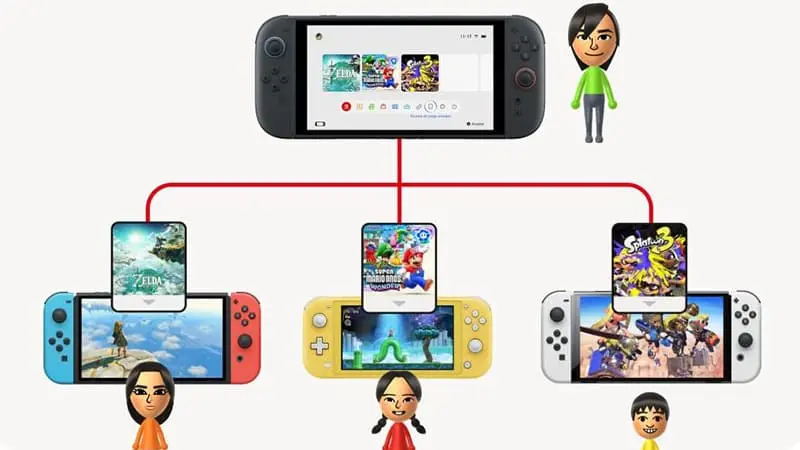
Yes, you can use the same digital game on two Nintendo Switch 2 consoles, but not at the same time. Nintendo’s Virtual Game Card system lets you move a purchased game between two linked systems without buying it again. The game can remain downloaded on both consoles, although only the system holding the virtual game card can launch it.
This makes switching between a personal console and a second household system fairly simple. However, using one purchase for two people to play simultaneously is a different matter.
How Digital Games Work Across Two Switch 2 Consoles
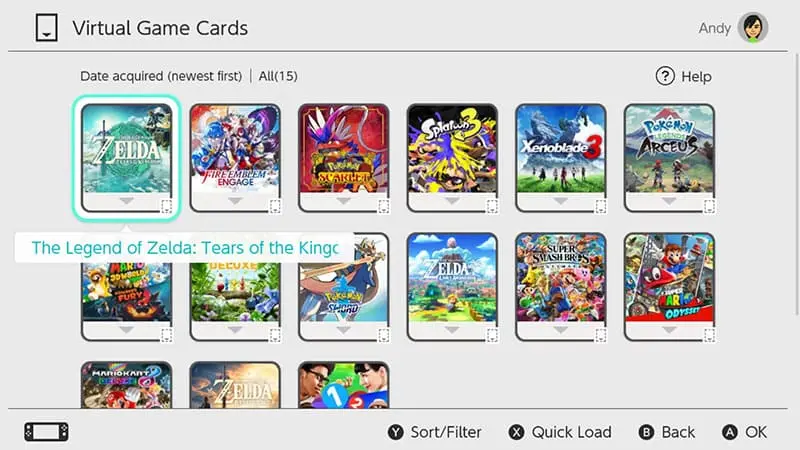
Digital games purchased through Nintendo eShop appear as Virtual Game Cards. These work much like physical game cards, except they are managed through the console’s HOME Menu rather than inserted into a game card slot.
A Nintendo Account can link up to two compatible consoles for loading Virtual Game Cards. These can be two Nintendo Switch 2 systems or a combination of Nintendo Switch and Nintendo Switch 2 consoles. Switch 2-exclusive games will still only work on Switch 2 hardware.
After both systems have been linked, you can eject a Virtual Game Card from one console and load it onto the other. The game does not need to be purchased again.
Can the Game Stay Downloaded on Both Consoles?
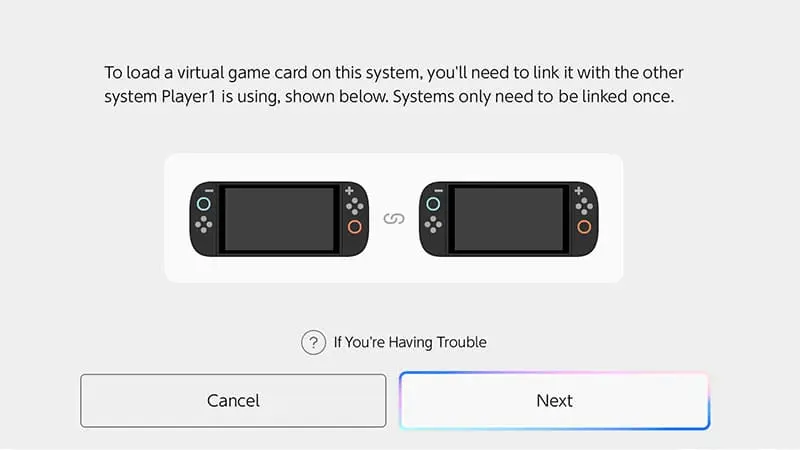
The software data can remain installed on both systems. Moving the Virtual Game Card does not automatically delete the game or its save data from the previous console.
For example, you could download a digital game on both of your Switch 2 consoles. When its Virtual Game Card is loaded on the first system, the game can be played there. Moving the card to the second system removes access from the first, but the downloaded files remain in place.
Returning later is therefore quicker. You only need to load the Virtual Game Card again rather than download the entire game from the beginning.
Can Both Switch 2 Consoles Play at the Same Time?
No. A single digital purchase cannot run on two consoles at the same time.
Loading the Virtual Game Card onto the second Switch 2 makes the game unavailable on the first one. Nintendo also prevents players from using a Virtual Game Card on one system and an Online License for the same game on another.
The same restriction applies even when both systems belong to the same person or use the same Nintendo Account. Nintendo treats the digital purchase as one copy of the game, not as a separate license for every linked console.
This means the same digital game on two Nintendo Switch 2 consoles works well for one person moving between systems. It does not replace buying a second copy when two people want to play independently at the same time.
Can Other Profiles Play the Digital Game?
When a Virtual Game Card is loaded onto a console, other user profiles registered on that system can normally play it. They do not need to use the Nintendo Account that originally purchased the game.
Each user keeps separate save data, so several people in the same household can play through the game using their own profiles. A Switch 2 can hold up to eight users, with save data managed separately for each one.
However, once the Virtual Game Card is moved to another console, access ends for everyone on the previous system until the card is returned.
What Is an Online License?
The Online License setting provides another way to access digital purchases. When enabled, the account that bought the game can launch it on a console without loading its Virtual Game Card first.
This is mainly useful for people who regularly use three or more Nintendo consoles. It comes with stricter requirements:
- The purchasing Nintendo Account must launch the game.
- The console needs an internet connection for verification.
- Other profiles cannot use the Online License as though the Virtual Game Card were loaded.
- The same game still cannot run on several consoles simultaneously.
Nintendo may suspend the game if the same account or license is already being used elsewhere.
For two regularly used consoles, Virtual Game Cards are generally the simpler option. They also allow other profiles on the selected system to play.
Can You Lend the Game to a Family Member?
Nintendo also lets users lend certain Virtual Game Cards to members of the same Nintendo Account family group.
A lent game remains available to the family member for up to 14 days. It returns automatically when that period ends, although either person can return it earlier. Some software may not support lending.
The original owner cannot play the game while it is on loan. Once again, the system works more like handing someone a physical game card than creating another digital copy.
This option can be useful when a family member wants to complete a single-player game on their own console. It will not allow both people to play the same purchased copy together.
Does Save Data Move With the Virtual Game Card?
Save data does not move automatically when you load a Virtual Game Card onto another console. It remains stored on the system where it was created.
To continue from the same point on a second Switch 2, you will need to transfer the save data or use Nintendo Switch Online’s Save Data Cloud feature when the game supports it.
A local save transfer requires both consoles to be connected to the internet and linked to the same Nintendo Account. Transferring a save normally moves it from the source system rather than creating a permanent second copy.
Some games use separate transfer methods or do not support cloud saves, so it is worth checking the game’s save-data rules before moving between systems.
What Happens When You Play Offline?
A game loaded as a Virtual Game Card can generally be played without a constant internet connection after the necessary loading and verification steps have been completed.
Online Licenses work differently. They require an internet check because the console must confirm that the Nintendo Account owns the game and is not already using it on another system.
For travel or places with unreliable internet, loading the Virtual Game Card before leaving is the safer choice.
Is One Digital Copy Enough for Two Switch 2 Consoles?
One digital copy is enough when a single person wants to alternate between two systems. You can keep the game installed on both consoles and move its Virtual Game Card whenever you change devices.
It is also suitable for a household that takes turns using the game. Different profiles can maintain their own save files while the Virtual Game Card is loaded on their shared console.
A second purchase is needed when two people want unrestricted access or plan to play the same game simultaneously on separate systems. Nintendo allows the same digital game on two Nintendo Switch 2 consoles, but the license can only be active for play on one console at a time.

