

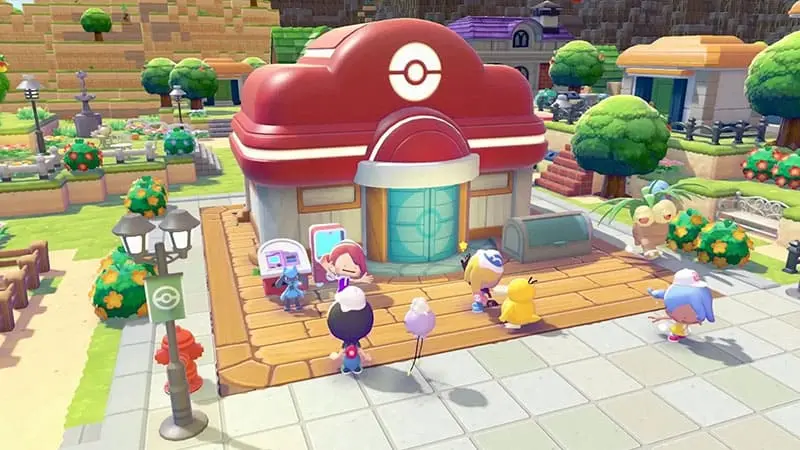
Learning how to find a missing Pokémon in Pokémon Pokopia can save you from searching every corner of your town. A resident disappearing rarely means it has left permanently. Pokémon can wander away from their homes, move between nearby locations or remain out of sight while you explore.
A resident may also be assigned to a habitat you have forgotten about. Pokédex Search and honey are the two most reliable ways to locate it. The situation becomes more complicated if you removed its habitat, but there are still several steps worth trying.
Search for the Pokémon Through the Pokédex
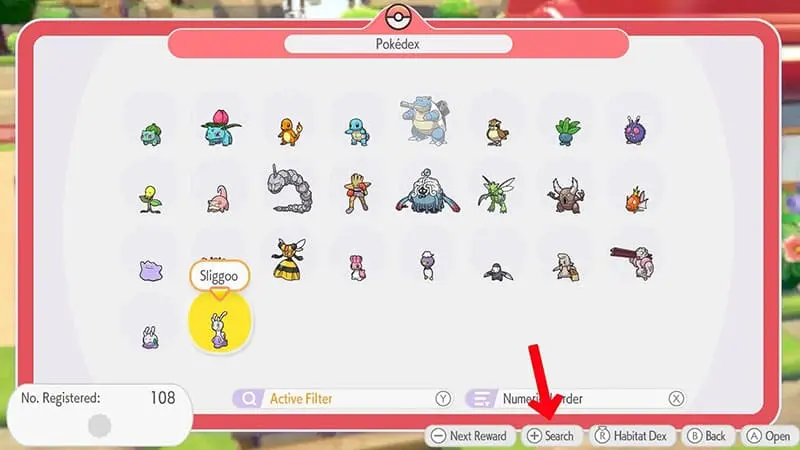
Start by opening the Pokédex and finding the missing Pokémon in the list. Keep the Pokémon highlighted rather than opening its full information page, then press the + Button to begin searching for it.
Return to the town and speak to nearby Pokémon. Some residents may turn the camera toward the missing Pokémon or point you in the direction you need to travel.
For a faster search, speak to a Pokémon with the Fly or Teleport specialty. These Pokémon may take you directly to the resident you selected.
This only works when the missing Pokémon can currently be found in the area you are searching. If nobody knows where it is, check its habitat and other towns instead of interrogating every resident like your town has suddenly become a tiny crime scene.
Place Honey at the Pokémon’s Habitat
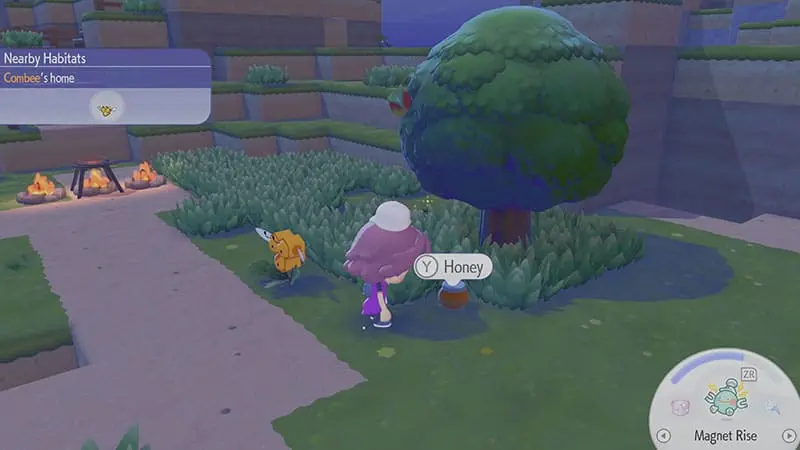
If the missing resident still has an assigned habitat, travel to that home and place honey nearby.
Honey can call the Pokémon back to its habitat, making it one of the easiest ways to recover a resident that is no longer walking around town. Give the game a moment after placing it, as the Pokémon may not appear instantly.
Make sure you have found the correct home. A resident can remain assigned to a habitat in another town, even if you no longer remember moving it there. This is particularly easy to overlook after reorganising several areas or building multiple homes of the same type.
Check every town where you have created suitable habitats before assuming that the resident has disappeared.
How to Find a Missing Pokémon in Pokémon Pokopia Without a Visible Home
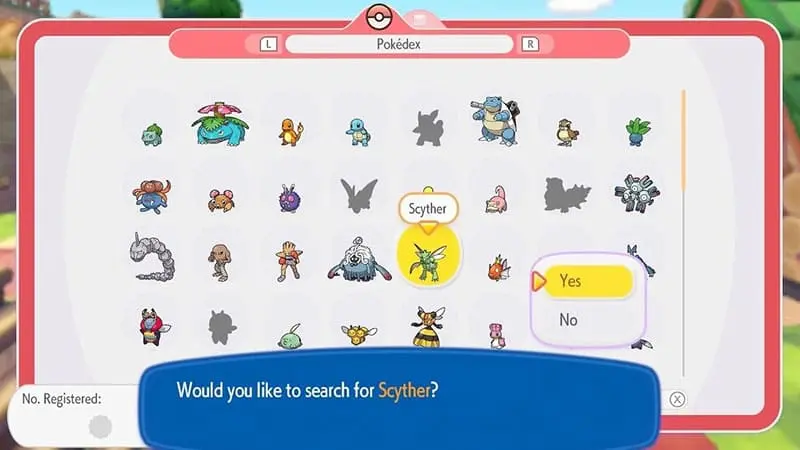
Pokédex Search does not always lead directly to the Pokémon. In some cases, it may guide you toward the resident’s assigned home instead. When that happens, place honey at the habitat and wait for the Pokémon to return.
You should also visit any other maps where you have built homes. A Pokémon may still belong to a habitat in an older town while you are searching for it somewhere else.
Buildings are worth checking as well. A resident that appears to be missing from the outdoor area may be inside the Pokémon Center or another accessible structure. Pokémon helping with a job may also spend less time near its usual home.
Fly and Teleport may not always locate a Pokémon that is indoors, assigned elsewhere or temporarily unavailable. A quick manual search can therefore save more time than repeatedly running Pokédex Search in the same location.
Check Whether the Pokémon Still Has a Habitat

Before trying more complicated fixes, confirm that you did not remove the missing Pokémon’s home during construction.
Honey needs an existing habitat to call a resident back. If the home was dismantled while the Pokémon was somewhere else, placing honey at a different structure will not solve the problem.
Review your resident and habitat information at the computer terminal near the Pokémon Center. The available management screens can help you check which Pokémon remain assigned to homes and which residents may no longer have one.
The terminal is mainly useful for identifying the problem. It will not necessarily return a missing Pokémon immediately, so your next step depends on what you find.
If the resident still has a home, visit that habitat and use honey. If it no longer has one, rebuild a suitable habitat and continue with the steps below.
What to Do If You Removed the Habitat
A resident without a habitat can be harder to recover because honey no longer has an assigned home to call it back to.
Start by rebuilding the correct type of habitat. It does not usually need to occupy the exact same spot, but it should meet the Pokémon’s normal habitat requirements.
After rebuilding it, save the game and return to the title screen. Reload your save, revisit the area and run another Pokédex Search. You should also leave the town and return so the area can reload.
If the Pokémon still does not appear, allow the game to reach its next daily reset. Pokémon Pokopia begins a new day at 5 a.m. local system time, and this reset refreshes several activities and parts of the world.
Rebuilding the habitat, restarting the game and waiting for a reset are community-tested workarounds rather than guaranteed recovery methods. Different players may see the resident return at different stages of the process.
Avoid repeatedly destroying and rebuilding the area while searching. Constant changes can make it more difficult to remember which habitats remain valid and where the Pokémon was last assigned.
Once the resident returns, ask it to follow you and assign it to the new habitat as soon as possible.
Should You Change the Switch 2 Date?

Because Pokémon Pokopia follows the console’s system clock, moving the Switch 2 date forward can trigger a new day. Some players use this to skip the wait for the next daily reset.
However, changing the system date has not been confirmed as an official fix for missing residents. It may also affect other activities that depend on the game’s calendar.
Try the normal methods first:
- Run Pokédex Search.
- Place honey at the assigned habitat.
- Check other towns and buildings.
- Rebuild the habitat if it was removed.
- Save, restart and reload the area.
- Wait for the normal 5 a.m. daily reset.
Changing the console clock should be treated as an optional last resort, not the standard solution.
Make Sure Pokémon Pokopia Is Updated
Keep Pokémon Pokopia on the latest available software version before spending too much time troubleshooting.
From the Switch 2 HOME Menu, highlight the game without opening it. Press the + or – Button, choose Software Update, and then select Over the Internet.
Version 1.1.1 was released on June 18, 2026. Its published fixes include a problem that could occur when too many objects were placed in one area and an issue involving Ditto’s facial expression while using the camera.
Nintendo has not identified missing residents as a specific Version 1.1.1 fix. Updating the game is still sensible, especially if your towns contain large numbers of placed objects, but it should not be presented as a guaranteed cure for a missing Pokémon.
Installing a software update does not remove your existing save data.
Can a Resident Leave Permanently?
There is currently no clear evidence that an ordinary resident permanently leaves because its comfort level falls or because you do not interact with it often enough.
Most missing Pokémon are likely wandering, assigned to a forgotten habitat, located in another town, inside a building or temporarily unavailable in the current area.
Removing a resident’s habitat makes the search more difficult, but it does not necessarily mean the Pokémon is gone forever. Rebuilding a suitable home and allowing the area or daily cycle to refresh may help it return.
The Best Order to Find a Missing Pokémon
The best way to understand how to find a missing Pokémon in Pokémon Pokopia is to begin with the simplest solutions.
Run Pokédex Search and speak to a Pokémon with Fly or Teleport. If the missing resident still has a completed habitat, place honey there.
Next, search your other towns, inspect nearby buildings and confirm whether the Pokémon still has an assigned home. If you removed its habitat, rebuild the correct type, save the game and reload the area.
Wait for the next 5 a.m. daily reset if the resident remains missing. System-date changes should only be considered after the normal options have failed.
In most cases, your Pokémon has not abandoned the town. It has simply chosen the least convenient possible moment to become Pokopia’s champion of hide-and-seek.

