
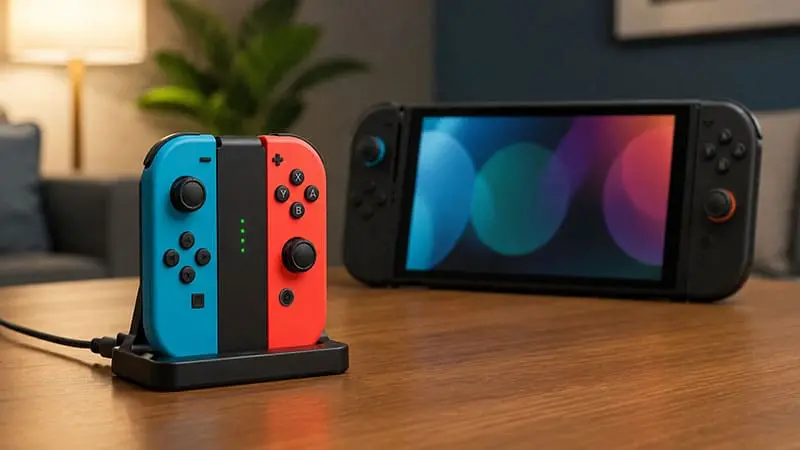
Moving to a new console often comes with an expensive question: how much of your old setup can you continue using? The answer is mostly positive for Nintendo players. Old Nintendo Switch controllers work on Switch 2, including the original Joy-Con and Nintendo Switch Pro Controller, but they do not behave exactly like the newer models.
Both controller types can handle compatible Switch and Switch 2 games after being paired with the console. However, original Joy-Con cannot attach to the sides of Switch 2, and neither old Joy-Con nor the original Pro Controller can wake the system from sleep mode. Charging also works differently depending on which controller you own.
These limitations do not make your old controllers useless. In fact, they remain a practical way to add extra players without immediately buying another set of Joy-Con 2. Some older Switch games even require the original Joy-Con because the newer controllers do not fit certain accessories or include the same hardware.
Do Original Joy-Con Work on Switch 2?
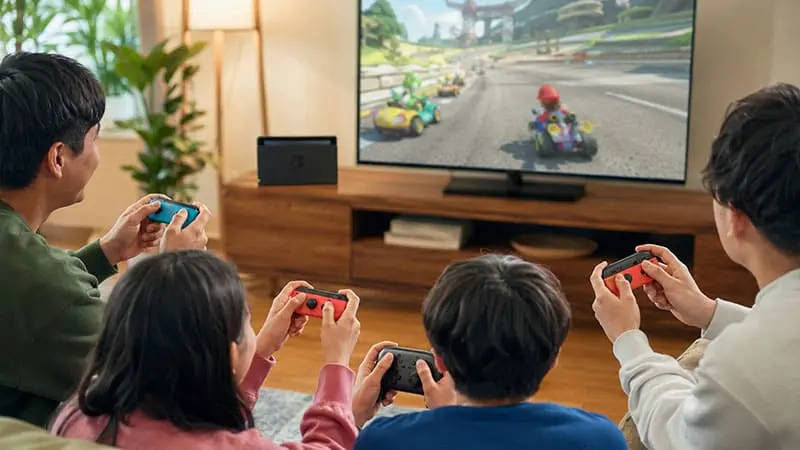
Original Nintendo Switch Joy-Con can connect to Switch 2 wirelessly. They cannot slide onto the console because Switch 2 uses a different magnetic attachment system designed for Joy-Con 2. The older controllers must therefore remain separate from the system while you play.
Pairing them is straightforward. Open the Controllers menu from the HOME screen, select Change Grip/Order and hold the SYNC button on the Joy-Con until the console recognises it. Once paired, the controllers can be used in compatible games much like they were on the original Switch.
The more important limitation is charging. Since old Joy-Con cannot attach to Switch 2, the new console cannot recharge them. You will need an original Nintendo Switch, a Joy-Con Charging Grip or Nintendo’s two-way Joy-Con Charging Stand. This is worth remembering before inviting several people over for local multiplayer. The controllers may work perfectly, but an empty battery remains undefeated.
Old Joy-Con also lack features introduced with Joy-Con 2. They do not support the new mouse controls, and there is no C button for opening GameChat directly. This will not matter in most traditional games, but software designed around Joy-Con 2-specific functions may require the newer controllers.
There is another limitation that is easy to miss: pressing the HOME button on an original Joy-Con will not wake Switch 2 from sleep mode. Old Switch controllers also cannot use the system’s Search for Controllers or Alarm features. You can still reconnect them after the console is awake, but you will need to power on the system another way.
Despite those restrictions, keeping an old pair of Joy-Con is useful. They are suitable for many multiplayer games and can save you from buying extra controllers immediately. Their compatibility is especially valuable in games built around original Switch accessories.
Ring Fit Adventure is the clearest example. Joy-Con 2 cannot fit inside the Ring-Con included with the game, so playing it on Switch 2 requires the original Joy-Con. The same applies to the Leg Strap used for the Football Shoot-Out mode in Nintendo Switch Sports.
The original right Joy-Con also contains an IR Motion Camera that Joy-Con 2 does not include. As a result, certain features in 1-2-Switch, Game Builder Garage, Dr Kawashima’s Brain Training and WarioWare: Move It! still require an original Joy-Con (R). Anyone keeping an older Switch library should think twice before selling every old controller.
Does the Original Switch Pro Controller Work on Switch 2?
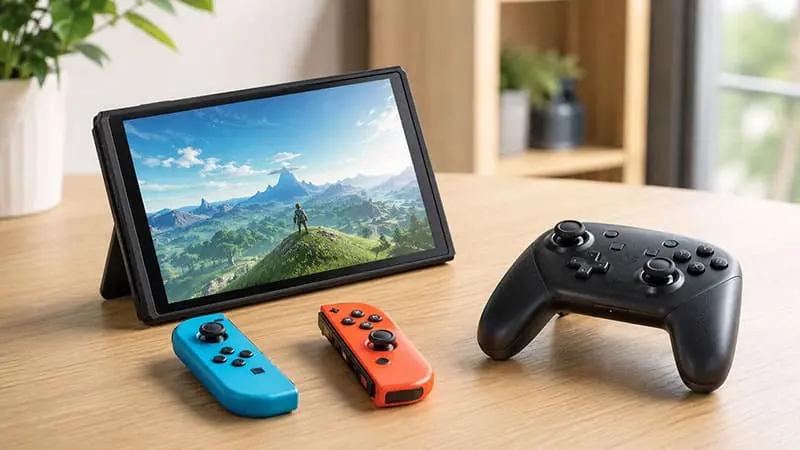
The original Nintendo Switch Pro Controller works with Switch 2 and remains one of the easiest old accessories to carry forward. It can be paired wirelessly or connected to the Switch 2 dock with a USB charging cable.
Connecting the controller by USB pairs it and begins charging, but it does not automatically force the controller to communicate through the cable. Players who specifically want a wired connection must open System Settings, select Controllers and Accessories, and enable Nintendo Switch Pro Controller Wired Communication.
For ordinary gameplay, the old Pro Controller still covers the essentials. It has a comfortable full-size layout, motion controls, HD rumble and amiibo support. That makes it perfectly reasonable for single-player games or as an additional controller for local multiplayer.
What it lacks are the improvements added to the Switch 2 Pro Controller. The older model has no C button, no GL and GR rear buttons, no headphone jack and no HD Rumble 2. It also shares the same sleep-mode limitation as the original Joy-Con, so its HOME button cannot wake Switch 2.
Whether those missing features matter depends on the game. A traditional platformer, RPG or action game may play normally with the original controller. A title that expects a Switch 2-specific input will naturally need newer hardware. Controller support can also differ between games, so the software’s eShop page or official compatibility information remains the safest place to check before buying.
For most players, upgrading immediately is unnecessary. The original Pro Controller remains a solid option unless you specifically want the new rear buttons, wired audio or direct GameChat access. If the controller you already own still works properly, Switch 2 gives you little reason to retire it.
How Many Old Controllers Can Connect to Switch 2?
Switch 2 supports up to eight connected controllers, although the exact number depends on the controller type and features in use. Each left or right Joy-Con counts as a separate connection, while a Pro Controller counts as one.
Up to seven original Joy-Con or Nintendo Switch Pro Controllers can connect wirelessly at the same time. An eight-player setup therefore needs at least one Switch 2 controller or a wired Pro Controller. The game must also support eight players.
Bluetooth audio creates another limit. When wireless headphones are connected, Switch 2 supports no more than two wireless controllers.
Do Retro and Third-Party Controllers Work?
Official NES, SNES, Nintendo 64 and Sega Mega Drive or Genesis controllers can work with supported Switch 2 software. GameCube controllers are also compatible through a supported adapter connected to the dock.
Third-party controllers are less predictable. Some work immediately, while others need a firmware update or may not support Switch 2 at all. Always check the manufacturer’s compatibility page first.
Should You Replace Your Old Controllers?
So, do old Nintendo Switch controllers work on Switch 2? Yes. Original Joy-Con and the first Switch Pro Controller still handle most games without trouble. Some titles, including Ring Fit Adventure, certain Nintendo Labo sets and games that use the IR Motion Camera, even need the older Joy-Con.
The drawbacks are straightforward. You cannot attach old Joy-Con to Switch 2 or charge them through the console, and old controllers cannot wake the system. Switch 2-specific features also need newer hardware. Even so, your existing controllers should remain perfectly useful for regular gameplay and local multiplayer.

