
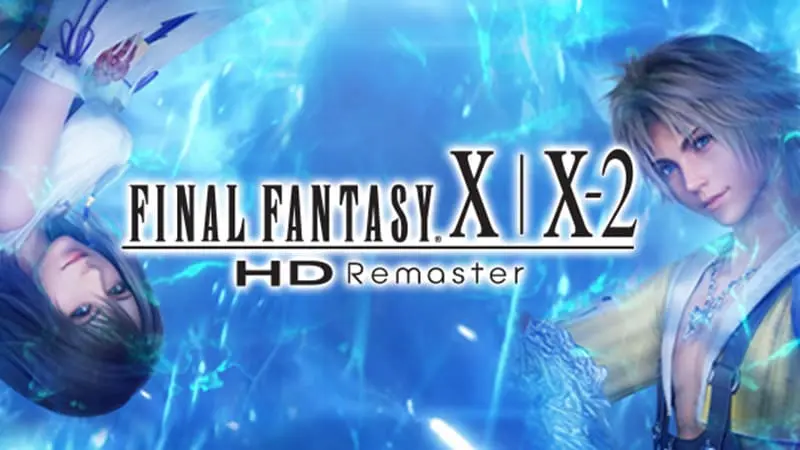
Moving to Nintendo Switch 2 does not automatically mean losing your progress in FINAL FANTASY X/X-2 HD Remaster. The confusing part is that two different versions of the game can now run on the same console, and they do not use the same save files.
Your original Nintendo Switch save can be transferred to Switch 2 and used while playing the original Switch version through backward compatibility. However, that progress cannot be opened in the separate native Switch 2 release.
In other words, your save is not deleted. It simply remains tied to the version of the game that created it.
Can You Use Your Original Switch Save on Switch 2?
Yes, as long as you continue playing the Nintendo Switch version.
When setting up a Switch 2, Nintendo allows users to transfer supported games, profiles and save data from their previous console. Once the transfer is complete, you can download the original Switch edition of FINAL FANTASY X/X-2 HD Remaster or insert its game card and continue from your existing save.
This works because Switch 2 is running the same Switch software through backward compatibility. From the game’s perspective, you have changed consoles rather than changed versions.
The important detail is which icon you launch. If you open the original Nintendo Switch release, your old progress should remain available under the same user profile.
Does the Save Work With the Native Switch 2 Version?
No. Nintendo states that save data is not compatible between the Nintendo Switch and Nintendo Switch 2 editions.
The native Switch 2 release is treated as a separate game rather than a patch applied to the original version. It creates its own save data and cannot import progress from the earlier release.
That means players moving to the new edition must begin Final Fantasy X and Final Fantasy X-2 again. Story progress, Sphere Grid development, equipment, Blitzball records and completed side activities will not carry across.
This is particularly important for anyone already deep into the game. Starting again may not be a major problem for a new player, but it is a much harder decision after dozens of hours spent developing a party or completing optional content.
Can Nintendo Switch Online Cloud Saves Transfer Progress?
Cloud saves do not solve the compatibility problem.
FINAL FANTASY X/X-2 HD Remaster supports Nintendo Switch Online cloud backups, but those backups remain connected to the game version that produced them. Uploading an original Switch save does not convert it into a native Switch 2 save.
You can still use the cloud to restore your progress when playing the original Switch edition on another compatible system. It simply cannot move that progress into the newer release.
Think of the two editions as separate folders. Both may support cloud storage, but neither can read the files stored in the other folder.
Is There a Switch 2 Upgrade Pack?
There is no upgrade pack that turns the original Switch version into the native Switch 2 edition.
The newer release is sold separately. Owners of the existing game do not receive a free upgrade, and Nintendo has not listed a discounted paid upgrade path.
This makes the save-data restriction more significant. Players are not only being asked to start again; they must also purchase another copy if they want the dedicated Switch 2 release.
Before buying, it is worth checking which version you already own and how much progress you would leave behind.
What Is Different About the Switch 2 Version?
The native edition adds several changes beyond simply running on newer hardware. It includes sharper presentation and additional convenience options designed to reduce some of the slower parts of the original games.
Players can use a high-speed mode and adjust random encounters, including the option to disable them. These features can make repeat playthroughs less time-consuming, especially when revisiting familiar areas or moving through sections already completed on another platform.
However, they do not change the save-data situation. Even though the faster options could make restarting easier, the game still requires a completely new file.
Should You Keep Playing the Original Switch Version?
For players with substantial progress, the original release may remain the better choice.
Switch 2 backward compatibility lets you keep playing without giving up your save. You may miss the native edition’s visual and convenience improvements, but you retain every hour already invested in the game.
The dedicated Switch 2 version makes more sense for new players, anyone planning a fresh playthrough or people who value its added options enough to begin again.
There is no need to rush into replacing the original edition. It still works on Switch 2, and your transferred save remains useful as long as you launch that version.
Final Answer
You can transfer your original FINAL FANTASY X/X-2 HD Remaster save to a Nintendo Switch 2, but only for use with the original Switch edition running through backward compatibility.
The save cannot be imported into the separate native Switch 2 release. Cloud backups will not convert it, and there is no upgrade pack connecting the two editions.
Anyone who buys the Switch 2 version must start a new game. Players who want to preserve their existing progress should continue using the original Switch release on their new console.

